Best Coding Language for Games by Type and Engine
.png)

.svg)
[ key takeways ]
- C++ is the best coding language for AAA and high-performance game development.
- C# is the best coding language for Unity-based indie and mobile games.
- Python is the best coding language for beginners and simple game prototypes.
- JavaScript is the best coding language for browser-based web game development.
- The best coding language for games depends on the engine, platform, and goals.
.svg)
The best coding language for games depends on the type of game, target platform, and development engine you choose. Different languages serve different purposes, from high-performance AAA titles to mobile, indie, and browser-based games.
Understanding this before you begin is important because your choice affects development speed, available features, learning difficulty, and long-term career opportunities.
Many beginners spend months learning a language that does not fit their goals, which forces them to relearn new tools later.
This article will discuss the best programming languages for various game development paths, which will help you choose the right one with confidence.
What Is the Best Coding Language for Games?
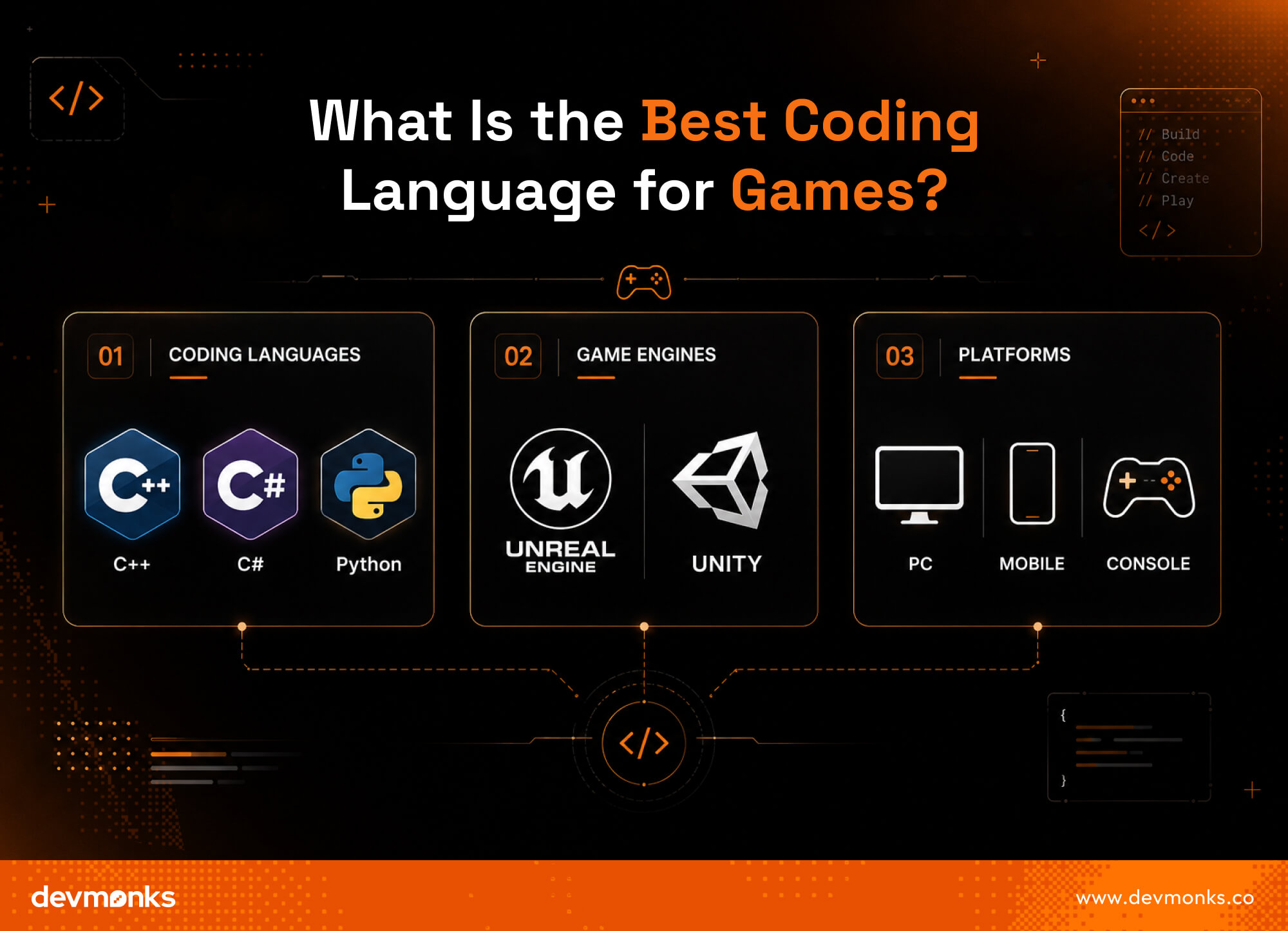
The best coding language for games depends on the type of game, platform, and game engine you choose. There is no single answer that fits every project. Different game programming languages work better in different situations.
For high-performance 3D games, many developers use Unreal Engine with C++. For mobile and indie games, Unity with C# is very popular.
So, the best coding language for games depends on your goals, your platform, and the engine you select. Most developers learn one language first and then expand later based on project needs. Engine choice often matters more than the language itself.
How Programming Languages Are Used in Game Development
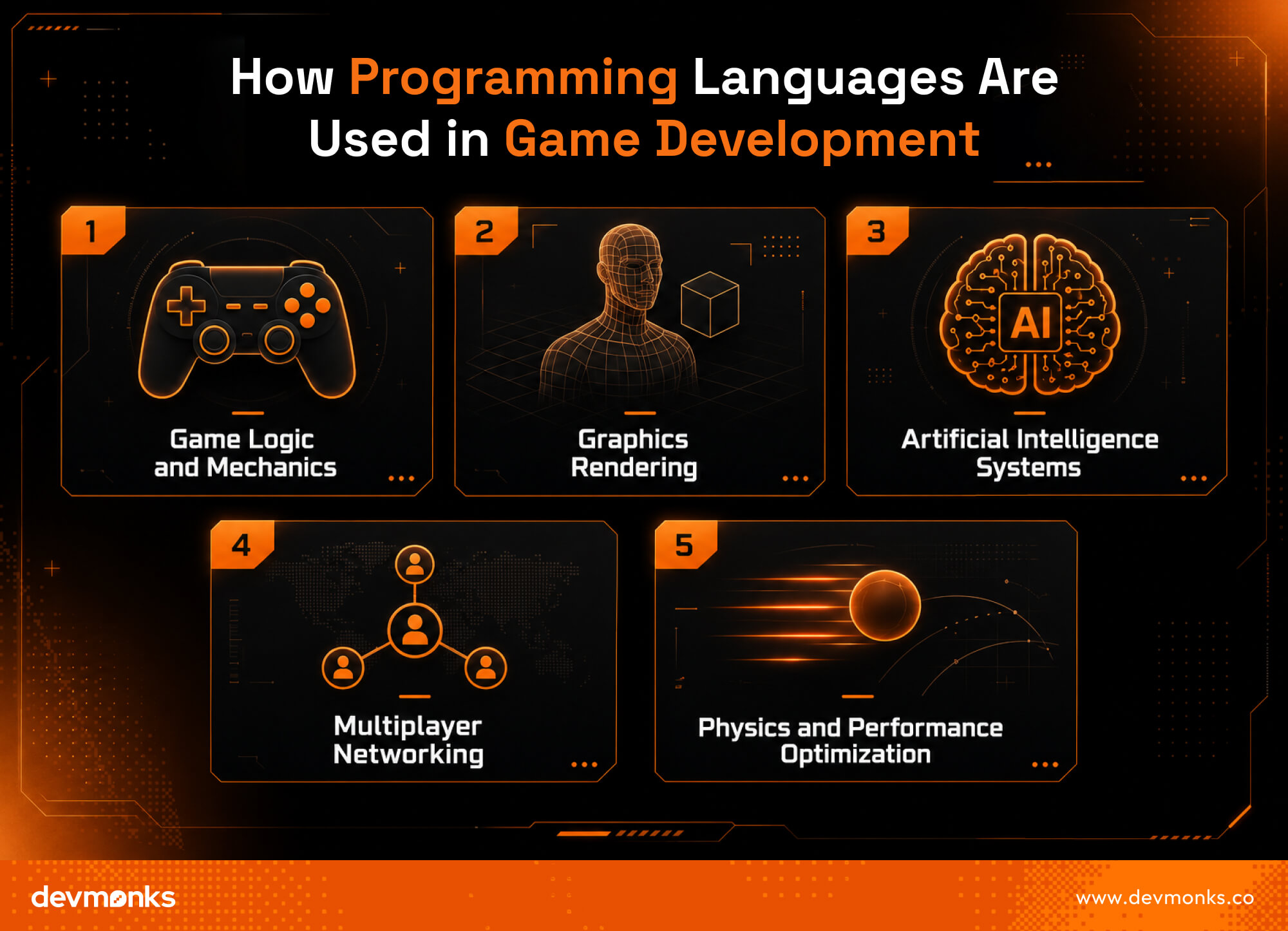
Programming languages are the core tools in game development. They control how a game works, looks, and reacts. Developers use them to build gameplay, graphics, AI, networking, and performance systems.
Game Logic and Mechanics
Game logic controls how a game behaves. It includes player movement, scoring, rules, and interactions. Languages like C++ and C# are often used to build smooth and responsive mechanics.
Graphics Rendering
Graphics rendering turns code into visual output. It helps create characters, environments, and animations. Game engines like Unity handle many rendering tasks using programming support.
Artificial Intelligence Systems
AI controls non-player characters and enemy behavior. It makes games feel smart and dynamic. Developers use AI systems to create decision-making and pathfinding logic.
Multiplayer Networking
Networking allows players to connect and play together. It manages data like player positions and actions in real time.
Physics and Performance Optimization
The Physics Engine handles gravity, collisions, and movement. Performance optimization ensures the game runs smoothly without lag.
Game development also often involves working with experienced teams or studios to speed up production.
For example, Dev Monks is a development agency that works on building and supporting game projects. Such agencies help developers turn ideas into playable products with better structure and quality.
Best Programming Languages for Game Development
Game development uses many programming languages, and each one plays a different role. There is no single “perfect” language. The best choice depends on the game type, platform, and engine support.
C++: Best for AAA Game Development
C++ is widely used in AAA games. It gives high performance and full memory control. This makes it ideal for large and complex games. Many major studios use it with Unreal Engine. It helps developers build detailed graphics and fast gameplay.
C#: Best for Unity Game Development
C# is simple and easy to learn. It is the main language for Unity. Many indie and mobile games use it because development is faster and more flexible. It is great for beginners.
Python: Best for Beginners and Prototyping
Python is simple and very beginner-friendly. It is often used to test game ideas quickly. Developers use it for scripting, small games, and learning programming concepts. It is not usually used for high-performance commercial games, but it is great for starting out.
Java: Best for Android Games
Java is widely used for Android game development. It is stable, portable, and works well on many devices. Many older mobile games are built with Java, and it still has strong support.
JavaScript: Best for Browser Games
JavaScript is used for web-based games that run in browsers. It works well with HTML5 and allows quick deployment. These games are usually simple but very accessible to users.
Swift: Best for iOS Game Development
Swift is used for Apple game development. It is fast, safe, and optimized for iPhones and iPads. It works well with Apple’s game frameworks.
Kotlin: Modern Android Game Development
Kotlin is a modern language for Android. It is cleaner and more efficient than Java. Developers prefer it for new Android game apps because it reduces code complexity.
Rust: Emerging Language for High-Performance Games
Rust is becoming popular for performance-focused game systems. It offers both speed and memory safety. While still new in game development, it is gaining attention for engine-level programming and advanced game tools.
Best Coding Language by Game Type
Different games need different tools. The best coding language depends on the platform and the type of game you want to build. Choosing the right one makes development easier and faster.
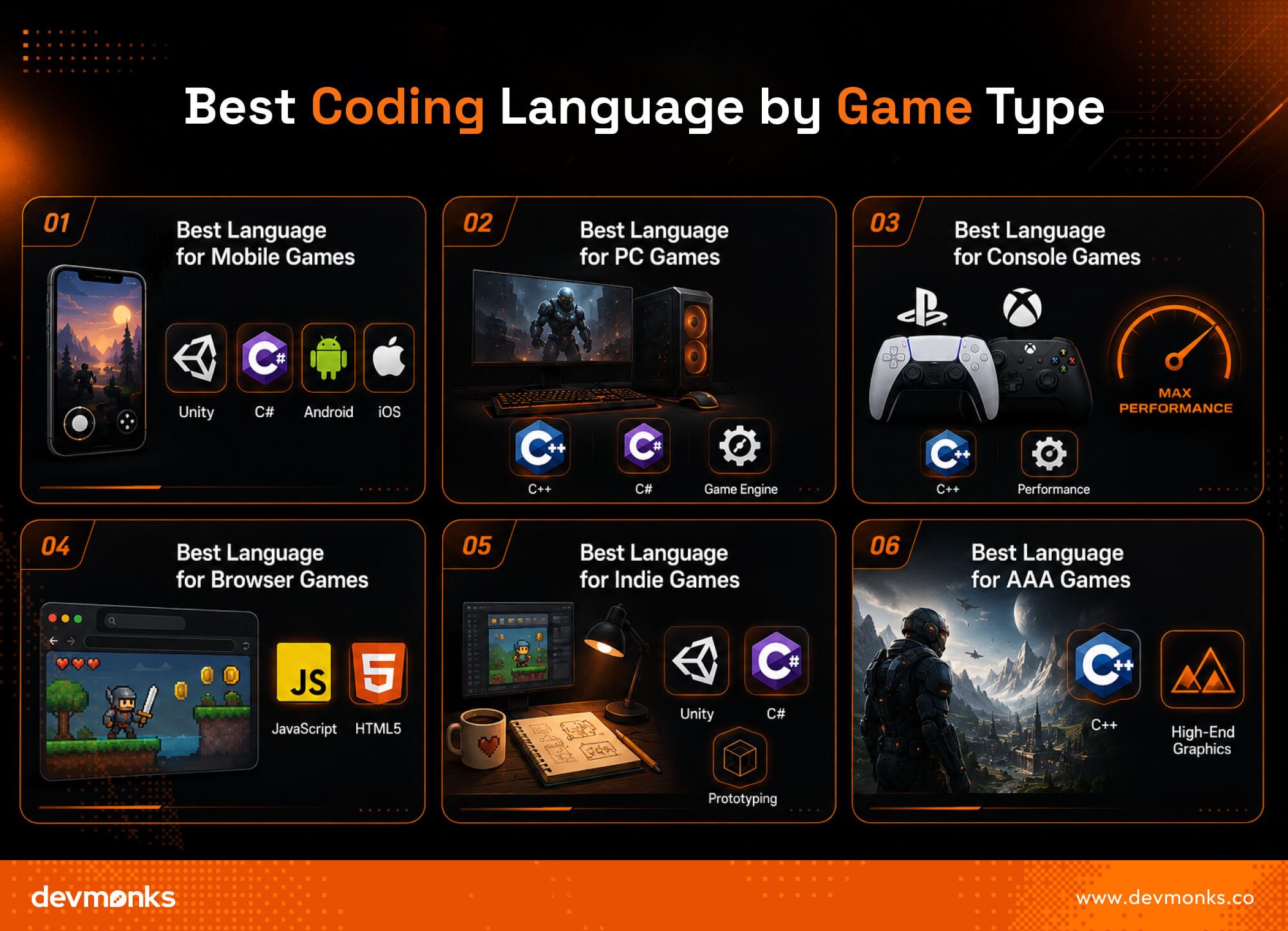
Best Language for Mobile Games
Mobile games are built for Android and iOS. The most common languages are C# with Unity and Java or Kotlin for Android. Swift is used for iOS. These languages are ideal for smooth mobile performance.
Best Language for PC Games
PC games often use C++ and C#. Many developers rely on Unreal Engine and Unity for building powerful PC games with high graphics and complex systems.
Best Language for Console Games
Console games are built for platforms like PlayStation and Xbox. These games mostly use C++ because consoles need high performance and optimized code for smooth gameplay.
Best Language for Browser Games
Browser games use JavaScript along with HTML5. They run directly in web browsers, so no installation is needed. This makes them easy to access and share.
Best Language for Indie Games
Indie developers often choose C# with Unity. It is simple, fast, and beginner-friendly. Python is also used for prototypes and small creative projects.
Best Language for AAA Games
AAA games use C++ because they need maximum performance, realism, and control. These games are large, detailed, and require advanced optimization.
Best Coding Language by Game Engine
Game engines play a big role in choosing a programming language. A game engine is the main tool that helps developers build games faster.
It controls graphics, physics, and gameplay systems. Each engine supports specific languages, so your choice of engine often decides your coding path.
Unity and C#
Unity uses C# as its main language. It is popular for mobile, indie, and 3D games. C# is easy to learn and works well with Unity’s tools, which makes development smooth and fast.
Unreal Engine and C++
Unreal Engine uses C++. It is known for high-performance and realistic graphics. This combination is widely used in AAA games and large studios where power and precision matter.
Godot and GDScript
Godot mainly uses GDScript, a simple scripting language designed for the engine. It is lightweight and easy for beginners. Developers also use C# or C++ in advanced cases.
GameMaker and GML
GameMaker uses GameMaker Language (GML). It is simple and beginner-friendly. It is widely used for 2D games and quick game development.
CryEngine and C++
CryEngine also uses C++. It focuses on high-end graphics and realistic environments. It is used for visually advanced and performance-heavy games.
Game engines shape how games are built. Choosing the right engine automatically guides you toward the best programming language for your project.
C++ vs C# for Game Development
C++ and C# are two of the most popular languages in professional game development. Both are powerful, but they serve different needs. Understanding their strengths can help you choose the right language for your career and projects.
Performance Comparison
C++ offers higher performance and greater control over system resources. It allows direct memory management, which is important for large and demanding games.
This is why many AAA studios use C++ for performance-critical projects.
C# is slightly slower than C++, but the difference is often small for most games. It provides excellent performance while reducing development complexity.
Learning Curve
C# is generally easier to learn. Its syntax is cleaner, and it handles many technical tasks automatically. Beginners can become productive more quickly with C#.
C++ has a steeper learning curve. Developers need to understand concepts like memory management, pointers, and optimization. However, mastering C++ provides deeper knowledge of how games work behind the scenes.
Career Opportunities
Both languages offer strong career opportunities. C++ is highly valued in AAA game studios, engine development, and performance-focused projects.
C# is widely used in indie studios, mobile game companies, and Unity-based development teams.
Engine Compatibility
C# is the primary language for Unity, which makes it a top choice for mobile, indie, and cross-platform games.
C++ is the main language for Unreal Engine and many custom game engines used by large studios.
Development Speed
C# allows faster development because it requires less code and has simpler debugging tools. Developers can build and test features quickly.
C++ development usually takes more time, but it provides greater flexibility and control. For projects where performance is a top priority, the extra effort is often worthwhile.
Easiest Coding Languages for Beginner Game Developers
If you are new to game development, start with a simple language. The goal is to learn logic, not struggle with complex syntax. These languages are great for beginner game programming.
Python
Python is one of the easiest languages to learn. It has simple syntax and is great for understanding basic game logic. Beginners often use it for small games and prototypes.
C#
C# is also beginner-friendly and widely used in real game projects. It works well with Unity and helps you build both 2D and 3D games.
JavaScript
JavaScript is perfect for browser-based games. It runs directly in web browsers, making it easy to test and share your games quickly.
GDScript
GDScript is used in the Godot engine. It is simple, clean, and designed specifically for game development, which makes it very beginner-friendly.
These languages help you start building games quickly while learning core development skills step by step.
However, if you are building a game for a product or software purpose and are not focused on learning development yourself, it is better to work with a reliable game development agency.
Agencies like Dev Monks can help you turn your idea into a fully functional game with professional quality.
Most Popular Languages Used by Professional Game Studios
Professional game studios choose programming languages based on performance, development speed, and platform requirements.
While many languages are used across the industry, a few dominate modern game development.
AAA Studio Preferences
AAA studios often rely on C++ for large-scale game development. Companies such as Epic Games, Ubisoft, and Nintendo use C++ extensively because it delivers high performance and deep system control.
These features are essential for creating advanced graphics and complex game worlds.
Indie Studio Preferences
Indie studios frequently choose C# with Unity. It is easier to learn, speeds up development, and allows smaller teams to launch games more efficiently. This combination has become a standard choice for many independent developers.
Mobile Game Company Preferences
Mobile game companies often use C#, Kotlin, Java, and Swift. These languages support Android and iOS development while helping teams create responsive and optimized mobile experiences.
Emerging Industry Trends
The industry continues to evolve. C++ remains the leading choice for AAA games, while C# dominates many indie and mobile projects. At the same time, Rust is gaining attention for its strong performance and memory safety.
As game development tools improve, developers are adopting languages that balance speed, efficiency, and ease of use.
Factors to Consider When Choosing a Game Programming Language
The best game programming language is not always the most popular one. You should choose a language based on your goals, skills, and project requirements.
Learning Difficulty
Some languages are easier to learn than others. C# and Python are beginner-friendly, while C++ requires more time and practice.
Performance Requirements
Games with advanced graphics and complex systems need high-performance languages. C++ is often preferred for these projects because it offers greater control and speed.
Community Support
A strong community can make learning easier. Popular languages usually have more tutorials, forums, and learning resources available.
Engine Compatibility
Your game engine may determine which language you should learn. For example, Unity mainly uses C#, while Unreal Engine is closely linked with C++.
Career Opportunities
Different languages open different career paths. C++ is common in AAA studios, while C# is widely used in indie and mobile game development.
Cross-Platform Development
If you want to release games on multiple platforms, choose a language that works well across PC, mobile, and consoles. This can save development time and effort.
Future of Programming Languages in Game Development
The future of game programming is driven by new technologies and changing development needs. Studios are looking for languages that offer speed, flexibility, and efficiency.
Rise of Rust
Rust is gaining popularity in game development. It provides strong performance and better memory safety. Many developers see it as a promising option for future game engines and tools.
AI-Assisted Game Development
AI is transforming game creation. Developers use AI to generate content, automate testing, and speed up coding tasks. This helps teams develop games faster and more efficiently.
Cross-Platform Development Growth
More studios are building games for multiple platforms. Developers need languages and engines that support PC, mobile, and console releases with less effort.
Cloud Gaming Impact
Cloud gaming is changing how games are delivered and played. As games run on remote servers, developers need scalable and optimized code to ensure smooth performance.
As the industry evolves, programming languages that balance performance, security, and ease of development will become even more important.
Which Coding Language Should You Learn for Game Development?
The best coding language for game development depends on your goal, experience level, and the type of games you want to build. Instead of chasing trends, it is better to choose a path that matches your target career.
For Beginners
If you are new, start with C#. It is simple, readable, and widely used in real projects. It also helps you learn core game development concepts faster without heavy complexity.
For Indie Developers
Indie developers often stick with C#. It works very well for small teams and fast production. It allows you to build 2D and 3D games quickly and publish them on multiple platforms.
For Mobile Developers
For mobile games, C# with Unity is a strong choice. It supports both Android and iOS development. Kotlin is also useful for Android-focused games, especially if you want native performance.
For AAA Game Development Careers
If your goal is high-end studio work, learn C++. It is the standard in AAA development and is used for building complex, high-performance game systems.
For Multiplayer Game Development
Multiplayer games need strong performance and network control. C++ is widely used because it handles low-level optimization well. Rust is also growing as a modern, safer alternative.
The best approach is to start with one language, build real projects, and then expand based on your career direction.
Pro Tip: When developing games, ensuring compatibility with mobile platforms is very important since a large portion of games are played on Android and iOS devices.
Learning mobile development tips and tricks helps you optimize performance, improve user experience, and build games that run smoothly across different devices.
FAQs
What language is GTA 5 coded in?
C++ is the primary language used in GTA 5. It allows Rockstar Games to build a massive open world with advanced physics, AI, and rendering systems. C++ gives full performance control needed for AAA game development.
Is Python or C++ better for games?
C++ is better for full game development because it offers high speed and control. Python is easier to learn and useful for prototypes, but it is not suitable for high-performance or large-scale commercial games.
What is the most used coding language for games?
The most widely used languages are C++ and C#. C++ is common in AAA studios, while C# is popular in Unity-based indie and mobile game development across multiple platforms.
.png)
.svg)
Frequently Asked Questions
How can I discuss an AI MVP with Dev Monks?

Book a strategy call with your use case, existing systems, and project priorities. The team can help define an initial scope and the dependencies that need to be addressed.
Does using AI replace engineering review?
Dev Monks uses AI-assisted workflows with human-guided decisions. Product requirements, engineering choices, and testing remain part of the development process.
What AI development services does Dev Monks offer?
Dev Monks offers agentic AI solutions, custom language-model solutions, workflow automation, and RAG development. Its broader services include SaaS engineering, MVP development, backend integrations, and web and mobile applications.
Is Dev Monks an official OpenAI Select Partner?
Yes. Dev Monks is now an official OpenAI Select Partner within the OpenAI Partner Network.
How long does it usually take to complete a project?
We combine AI-driven workflows with product-first engineering to provide MVP development services for startups and enterprises. Our approach balances speed, reliability, and usability while keeping teams involved. We deliver production-ready, scalable solutions, not just prototypes or demos.
What makes Dev Monks different from other development companies?
We combine AI-driven workflows with product-first engineering to provide MVP development services for startups and enterprises. Our approach balances speed, reliability, and usability while keeping teams involved. We deliver production-ready, scalable solutions, not just prototypes or demos.
How Involved Will My Team be During Development?
We combine AI-driven workflows with product-first engineering to provide MVP development services for startups and enterprises. Our approach balances speed, reliability, and usability while keeping teams involved. We deliver production-ready, scalable solutions, not just prototypes or demos.
How involved will my team be during development?
We combine AI-driven workflows with product-first engineering to provide MVP development services for startups and enterprises. Our approach balances speed, reliability, and usability while keeping teams involved. We deliver production-ready, scalable solutions, not just prototypes or demos.
Do you develop both web and mobile applications?
We combine AI-driven workflows with product-first engineering to provide MVP development services for startups and enterprises. Our approach balances speed, reliability, and usability while keeping teams involved. We deliver production-ready, scalable solutions, not just prototypes or demos.
How can Dev Monks help my startup launch faster
We combine AI-driven workflows with product-first engineering to provide MVP development services for startups and enterprises. Our approach balances speed, reliability, and usability while keeping teams involved. We deliver production-ready, scalable solutions, not just prototypes or demos.

%20vs%20new%20Date().jpg)