[ key takeways ]
Building a successful mobile app is not just about writing code. Many apps fail even with strong development because they ignore strategy, UX design, performance, and continuous improvement.
Understanding the right mobile app development process is important for building apps that perform well and meet business goals. These app development best practices help you avoid costly mistakes and build something users actually want.
From planning features to improving design and speed, every step shapes the final product. Without the right app-building tips, even a good idea can lose users quickly.
This article breaks down practical mobile app tips that make development smarter and easier. Read on to learn what actually drives real app success.
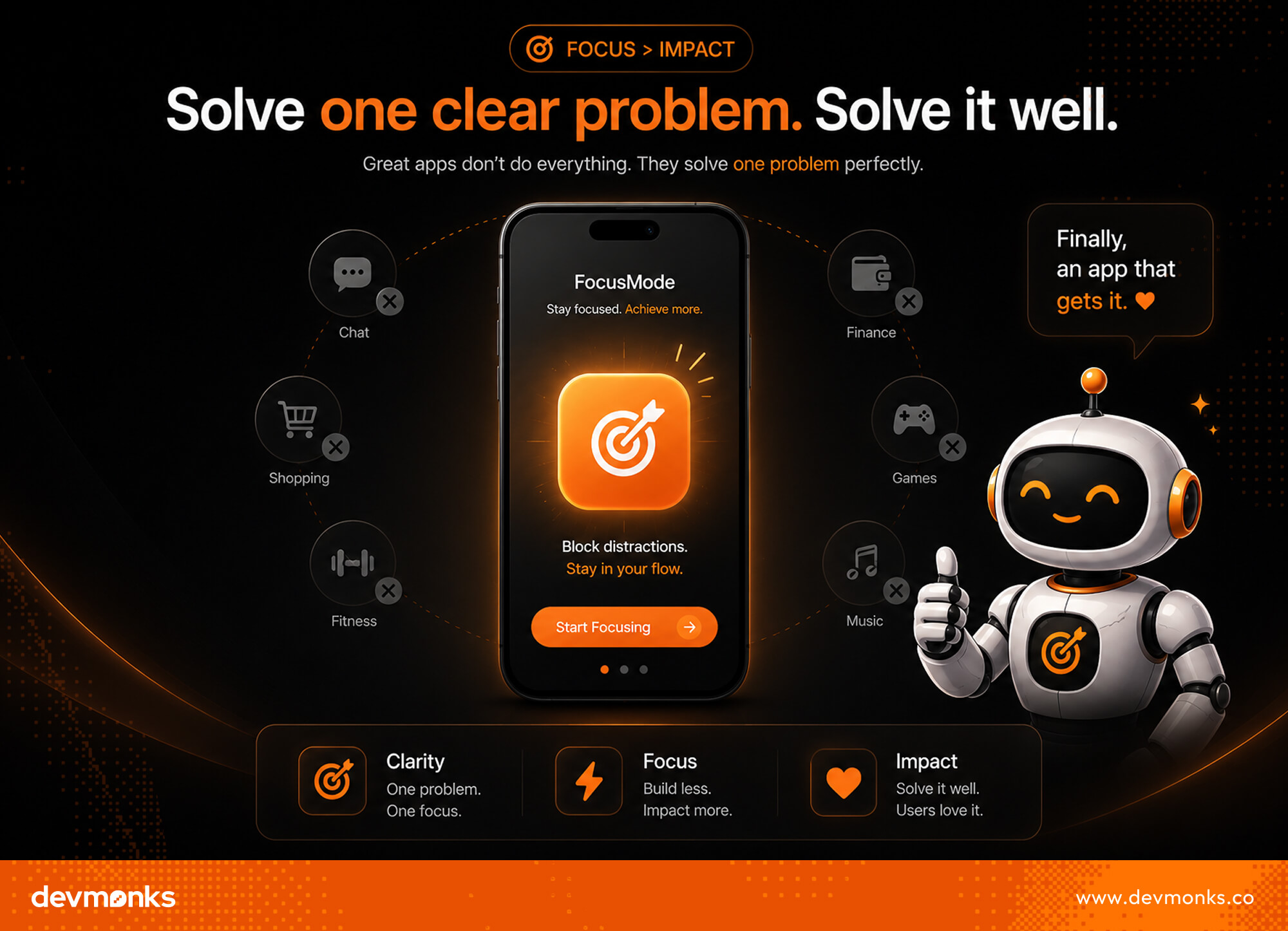
Many mobile apps fail because they try to do too many things at once. A successful app usually starts with one clear problem. When people instantly understand how your app helps them, they are more likely to download it and keep using it.
Before building your app, make sure people actually need it. This step is called app idea validation. You can run surveys, talk to potential users, and read competitor reviews to understand common frustrations.
Search trends and keyword demand can also help you validate app idea opportunities before investing time and money.
This process improves your chances of finding product-market fit. Instead of guessing what users want, you collect real feedback from real people. User problem validation helps you avoid building features nobody cares about.
Once the demand is clear, define the main reason people will use your app. In the Jobs-to-be-Done (JTBD) approach, users “hire” an app to complete a task or solve a problem.
For example, a budgeting app helps users track spending quickly and stay within budget.
Keep your app focused on those core user goals. A simple app with a strong purpose often performs better than an app packed with unnecessary features.
One of the smartest mobile app development tips is to start with an MVP instead of building a full product right away.
An MVP, or minimum viable product, focuses only on the core value of your app. This helps you launch faster, test your idea, and learn what users actually want.
First, identify the features users truly need. Focus on the main problem your app solves and build around that.
For example, a food delivery app may only need user login, restaurant listings, and payment options in the beginning. This approach keeps your MVP app development process simple and cost-effective.
Avoid adding extra features too early. Advanced dashboards, animations, or social sharing tools may sound exciting, but they can slow down development. Too much complexity also makes it harder to improve your product roadmap later.
The goal of a minimum viable product is not perfection. The goal is learning. Launch your MVP quickly, collect feedback, and improve the app based on real user behavior. This reduces risk and helps you build features people actually care about.
If you want to build an MVP quickly and correctly, working with an experienced development team can make a big difference.
Agencies like Dev Monks help turn ideas into functional MVPs fast, so you can test, learn, and improve without wasting time or budget.
A mobile app with great features can still fail if the user experience feels confusing. In many cases, good UX design matters more than adding extra features. People want apps that feel simple, fast, and easy to use from the very first tap.
Users should never struggle to find important sections of your app. Keep menus clear and organize content in a logical way. A good mobile app UX helps users move through the app naturally without needing instructions.
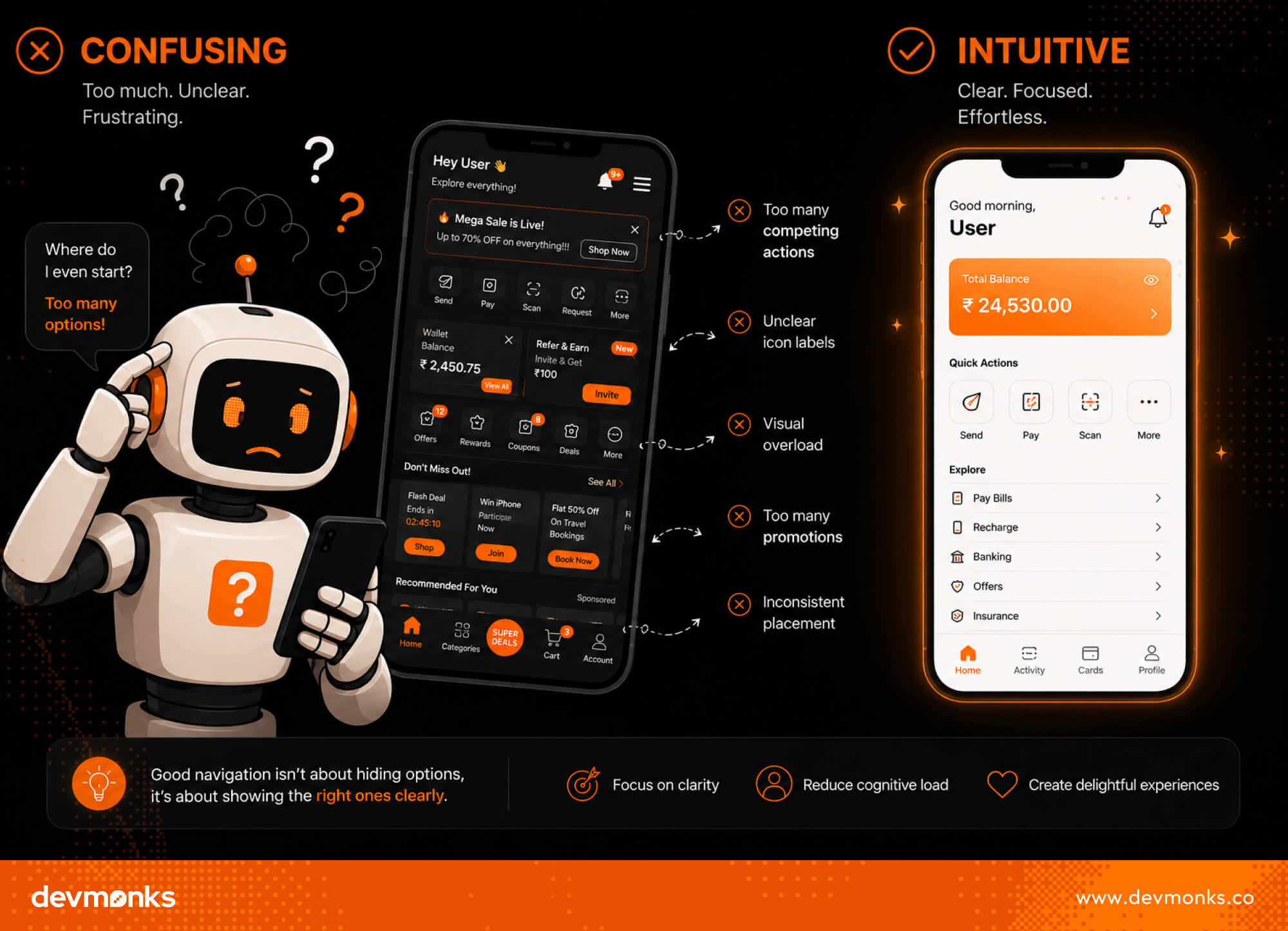
The onboarding process should feel quick and effortless. Avoid asking for too much information during sign-up. The fewer steps users take, the higher the chance they stay in the app.
Most people use smartphones with one hand. Place buttons, menus, and important actions where thumbs can easily reach them. This small detail improves comfort and usability.
Consistency is a major part of strong UI design. Use the same colors, fonts, button styles, and layouts across the app.
Tools like Figma help teams create cleaner and more organized designs. Following mobile UX best practices also makes app UI optimization much easier over time.
Your development approach affects your app’s speed, cost, scalability, and performance. Choosing the right app tech stack early can save time and prevent major problems later.
Native apps are built specifically for one platform. Developers usually use Swift for iOS apps and Kotlin for Android apps.
Native development often delivers better performance, smoother animations, and stronger device integration. However, building separate apps for both platforms usually costs more.
Cross-platform frameworks allow developers to build one app for both iOS and Android. Popular tools like Flutter and React Native help reduce development time and cost. This approach works well for startups and MVP projects that need faster launches.
A strong backend is just as important as the app itself. Your backend handles data storage, authentication, notifications, and app performance. Services like Firebase and AWS help developers build scalable applications more efficiently.
If you want to work with an agency, consider Dev Monks. We carefully choose the right development approach based on your business goals, target users, and project requirements instead of applying the same strategy to every app.
App performance plays a huge role in user retention. People quickly leave apps that feel slow, laggy, or unstable. That is why mobile app performance should be a priority from the beginning, not something fixed later.
Users expect apps to open and respond instantly. Slow loading screens create frustration and increase uninstall rates.
Good app speed optimization includes compressing images, reducing unnecessary code, and using a CDN to deliver content faster.
Large apps take longer to download and use more storage. Keeping your app lightweight improves accessibility, especially for users with slower internet or limited device space.
Apps that drain battery quickly often receive negative reviews. Limit background activity, optimize animations, and reduce unnecessary location tracking to improve performance optimization.
Poorly managed API requests can slow down your app and overload servers. Use caching and load only the data users need.
Tools like Firebase Performance Monitoring help developers identify performance issues early and improve the user experience continuously.
Security should never be treated as an afterthought in mobile app development. Users trust apps with personal information, payment details, and private data. A single security issue can damage both user trust and brand reputation.
Strong authentication helps prevent unauthorized access. Many apps use OAuth and JWT for safer login systems and session management. Adding multi-factor authentication also improves account security.
Sensitive user data should always be encrypted during storage and transfer. Technologies like SSL/TLS protect information moving between the app and server.
Poorly secured APIs can expose user data and create major vulnerabilities. Limit unnecessary access, validate requests properly, and use authentication tokens to improve mobile app security.
Some industries must follow strict privacy regulations. Healthcare apps may require HIPAA compliance, while global apps handling customer data often follow GDPR rules. Building security into development early makes compliance much easier later.

Emulators are useful during development, but they cannot fully replicate real-world user experiences.
Testing on actual devices helps developers catch performance issues, layout problems, and usability mistakes much earlier. This is a major part of effective mobile QA testing.
Your app should work smoothly across different screen sizes, hardware capabilities, and manufacturers. An app may perform perfectly on one device but lag or break on another.
Tools like Android Studio and Xcode help developers test across multiple device types.
Not all users update their phones immediately. Testing different Android and iOS versions helps prevent crashes and compatibility issues for older devices.
Users will not always have strong internet connections. Test how the app behaves on slow Wi-Fi, mobile data, or unstable networks. This improves app testing quality and overall user satisfaction.
Apps should be usable for everyone, including people with disabilities. Platforms like BrowserStack help teams test apps under different conditions and accessibility settings.
Even a great app can struggle if people cannot find it. That is why app store optimization should be part of your strategy from the beginning. Better visibility improves downloads, user reach, and app store ranking.
Use relevant keywords naturally in your app title and description. This helps apps rank better in the Apple App Store and Google Play Store search results.
Screenshots and preview videos strongly influence download decisions. Show your app’s main features clearly and keep visuals simple and attractive.
Positive ratings and reviews build trust and improve ASO strategy performance. Encourage satisfied users to leave feedback and respond professionally to negative reviews.
Successful apps do not rely on guesses. They improve based on real user behavior and data. App analytics helps teams understand what users enjoy, where they struggle, and what needs improvement.
Activation metrics show whether new users are completing important first actions, such as signing up, creating a profile, or making a purchase. Tracking these actions helps identify onboarding problems early.
Downloads alone do not guarantee success. Retention shows how many users continue using the app over time. Low retention often signals UX, performance, or value-related issues.
Users sometimes leave an app at specific steps. Finding these drop-off points helps teams improve the user journey. Product analytics for apps makes it easier to spot weak areas in navigation, checkout flows, or onboarding.
A/B testing compares different versions of a feature to see which performs better. Tools like Google Analytics, Mixpanel, Amplitude, and Firebase Analytics help you make smarter, data-driven decisions.
A mobile app should be built to grow from day one. If the app becomes popular later, it should handle more users without a full rebuild. That is why scalable mobile app architecture is important early in development.
A scalable backend helps your app manage increasing traffic and data smoothly. Instead of hard-coded systems, developers use modular architecture so each feature works independently. This makes updates easier and reduces system breakdowns.
Cloud hosting also plays a big role in scalability. Platforms like AWS and Google Cloud allow apps to expand resources automatically based on demand.
Caching improves speed by storing frequently used data, which reduces server load. Database scaling ensures your system can handle large amounts of user data without slowing down.
For complex systems, tools like Kubernetes help manage and scale applications efficiently. Building with scalability in mind ensures your app stays stable, fast, and ready for future growth.
Dev monks consider scalability from the earlier stage of development, which smoothens your future growth.
Launching your app is just the beginning. Think of it as version 1, not the final product. The real growth happens after launch when you start learning from real users and improving quickly.
Tools like Productboard and Jira help teams manage post-launch optimization and organize development work efficiently. Continuous improvement is the key to long-term app success.
Many apps fail not because of a bad idea, but because of avoidable mistakes during development. If you want long-term success, you need to spot these early and fix them.
Mobile app development usually takes 2 to 9 months, depending on complexity. Simple apps take less time, while feature-rich apps with backend systems, integrations, and testing take longer. Planning, design, development, and QA all affect the total timeline.
AI will not fully replace mobile developers. It will speed up coding, testing, and debugging, but human developers are still needed for design decisions, problem-solving, system architecture, and user experience. AI is more of a tool than a replacement.
Learning mobile app development usually takes 3 to 12 months. Basics can be learned in a few months with practice, but becoming job-ready takes longer. Time depends on consistency, prior programming knowledge, and how many real projects you build.
Mobile app development success comes from solving a real problem, starting small, and improving fast.
Focus on UX, performance, security, and data-driven decisions. Avoid overbuilding and keep learning from users. A strong app grows through continuous testing, feedback, and iteration, not just a perfect first version.
We combine AI-driven workflows with product-first engineering to provide MVP development services for startups and enterprises. Our approach balances speed, reliability, and usability while keeping teams involved. We deliver production-ready, scalable solutions, not just prototypes or demos.


Building a successful app is not just about coding skills in mobile app development. It depends on choosing the right SDKs, IDEs, and overall app development software that fit your goals.
The tools you use can completely change how fast you build, how well your app performs, and how easily it scales.
But there is no single “best” setup. Mobile app tools vary based on app type, budget, platform, and even team size. What works for a solo developer may not work for an enterprise team.
Once you understand this, choosing the right mobile app development tools becomes much easier and more strategic.
In this article, we’ll break down the best tools across every stage of development, so you can build smarter, not harder.
Mobile app development tools are software solutions that help developers create, test, launch, and manage mobile applications. They are part of the full app development software stack and make development faster, easier, and more organized.
Different tools handle different tasks. Coding tools, including IDEs (Integrated Development Environments) and SDKs (Software Development Kits), help developers build Android and iOS apps efficiently.
UI design tools create app layouts, buttons, and user flows to improve user experience. Backend tools manage databases, authentication, cloud storage, and APIs for apps that store user data or need real-time updates.
Testing tools identify bugs, performance issues, and security problems before launch. Deployment tools help publish apps to the App Store and Google Play, while analytics tools track downloads, engagement, user behavior, and app performance.
Together, these tools form a complete app development platform supporting every stage of mobile app development.
If you want to learn mobile app development tools, that’s great for building your skills. But if you just need a mobile app and feel confused about doing it yourself, you can always take professional help from agencies like Dev Monks.
Choosing the right app development framework depends on your project goals, budget, performance needs, and target platforms.
Some frameworks focus on speed and cross-platform mobile development, while others offer better native performance and deeper platform integration.
Flutter is one of the most popular choices for cross-platform mobile development. It helps developers to build Android and iOS apps from a single codebase. Flutter is known for fast performance, smooth animations, and strong UI customization.
Its widget-based system helps developers create modern and responsive app interfaces. Flutter also has a large community and a growing ecosystem, which makes development faster and easier.
Along with the mobile app. Due to its high efficiency, Flutter is also suitable for larger enterprise app developments.
React Native is a strong app development framework for teams that already use JavaScript. It helps developers create mobile apps using shared code across multiple platforms.
This framework is often used for faster MVP development because it reduces development time and cost.
React Native also has a huge plugin ecosystem and strong community support. It is a practical option for startups and businesses that want quick market entry.
SwiftUI is designed for native iOS app development. It is built by Apple and works best for apps made specifically for iPhone, iPad, and other Apple devices.
SwiftUI offers clean code structure, smooth performance, and direct access to Apple’s latest features. It is ideal for businesses that want high-performance native iOS applications.
Jetpack Compose is Google’s modern UI toolkit for Android development. It simplifies Android app design with less code and faster UI building.
This framework improves development speed while maintaining native Android performance. It works well for businesses focused only on the Android platform.
No-code and low-code platforms are becoming popular for simple app projects and rapid prototyping. Tools like FlutterFlow and Adalo help users create apps with drag-and-drop features instead of heavy coding.

Choosing the right IDE or code editor can greatly improve development speed, code quality, and team productivity. Good coding tools help developers write cleaner code, fix bugs faster, and manage projects more efficiently.
Many modern IDE platforms also include built-in SDK support, testing tools, debugging features, and automation options.
Android Studio is the official IDE for Android app development. It is built by Google and includes everything needed to create Android applications.
The platform comes with a built-in Android SDK, smart code suggestions, app testing tools, and performance monitoring features. Android Studio is one of the best coding tools for app development if your main focus is Android devices.
Xcode is Apple’s official development environment for iOS applications. It is used to build apps for iPhone, iPad, Apple Watch, and Mac devices.
Xcode includes the iOS SDK, interface builder, simulator tools, and advanced debugging features. It works especially well with Swift and SwiftUI, which makes native iOS development faster and smoother.
Visual Studio Code is a lightweight and highly flexible code editor. It supports many programming languages, frameworks, and extensions.
Developers often use it for Flutter, React Native, and backend development. Its speed, customization options, and strong plugin ecosystem make it popular among cross-platform development teams.
IntelliJ IDEA is a powerful IDE for Java and Kotlin development. It is widely used by professional Android developers and enterprise teams.
The platform offers advanced code analysis, automation tools, and strong integration with Android development workflows. It is especially useful for teams building large-scale mobile applications.
Dev Monks uses the right IDEs and code editors based on the project’s technology stack to ensure smoother development, better code quality, and faster delivery.
UI/UX design tools help teams plan the look, feel, and user experience of a mobile app before development begins. Most teams follow a simple workflow, that is, create designs, build prototypes, test user flows, and then hand everything over to developers.
Figma is one of the most popular app prototyping tools in the industry. It helps teams to design app screens, create interactive prototypes, and collaborate in real time.
Designers and developers can work together on the same project from any device. Figma also makes developer handoff easier with design specs, assets, and reusable components.
Adobe XD is known for fast wireframing and simple interface design. It helps teams quickly build layouts, test ideas, and create clickable app prototypes.
Its clean interface makes it beginner-friendly while still offering advanced features for professional designers. Adobe XD works well for both small and large app projects.
Sketch is a popular mobile app design tool among Apple-focused teams. It is mainly used for designing iOS app interfaces and creating reusable design systems.
Many designers prefer Sketch because of its lightweight performance and strong plugin ecosystem. It remains a reliable option for Mac users and UI-focused projects.
Tools like ProtoPie and Framer focus on advanced app interactions and animations. They help teams create realistic prototypes with gestures, transitions, and motion effects.
These app prototyping tools are useful for testing user experience before the app moves into development.

Backend tools handle the server-side functions of a mobile app, including databases, authentication, APIs, cloud storage, and notifications.
These tools improve app performance, security, and scalability while making mobile backend development faster and easier.
Firebase is one of the most widely used backend tools for mobile apps. It offers authentication, real-time databases, cloud storage, push notifications, analytics, and hosting in one platform.
Developers often choose Firebase because it is easy to set up and works well for startups, MVPs, and real-time applications.
Amazon Web Services (AWS) is a powerful cloud platform built for large-scale applications. It provides advanced cloud infrastructure, databases, security systems, server management, and AI services.
AWS is ideal for enterprise-level apps that need high performance, global scalability, and strong reliability.
Supabase is a modern open-source alternative to Firebase. It offers real-time databases, authentication, storage, and API generation with PostgreSQL support.
Many developers prefer Supabase because of its flexibility and developer-friendly approach.
APIs help mobile apps connect with third-party services and features. Tools like Stripe support secure online payments, while Twilio adds messaging, calling, and OTP verification features to apps.
These integrations help developers add advanced functionality without building everything from scratch.
Testing is an important part of mobile app development. Even a well-designed app can fail if it has bugs, crashes, or performance issues. Mobile app testing tools help developers improve app quality before launch and reduce problems after release.
BrowserStack helps developers test apps on real mobile devices through the cloud. Teams can check app performance across different screen sizes, operating systems, and device models without buying physical devices.
It is useful for finding compatibility issues and improving user experience on both Android and iOS platforms.
Appium is a popular automated testing framework for mobile applications. It allows developers to write test scripts that automatically check app functionality.
Automated testing saves time, improves testing speed, and helps teams catch bugs earlier in development. Appium supports both native and cross-platform mobile apps.
Firebase Test Lab provides large-scale testing on many real and virtual devices. Developers can run automated tests to identify crashes, slow loading times, and device-specific issues.
It is especially useful for testing apps under different network conditions and hardware environments.
Besides functional testing, QA teams also focus on crash reporting, performance monitoring, and accessibility testing. These processes help improve app stability, loading speed, and usability for all users, including people with disabilities.
Successful mobile apps improve over time using real user data. Mobile analytics tools help businesses understand how users interact with their apps, where users drop off, and which features perform best.
Strong app analytics can improve retention, engagement, and conversion rates.
Continuous integration and continuous delivery are important in modern mobile app development. Mobile CI/CD tools help teams automate testing, app builds, and deployment processes.
This reduces manual work, speeds up releases, and improves app stability.
These mobile CI/CD tools improve team productivity and make app delivery more reliable, especially for projects with frequent updates and large development teams.
Choosing the right mobile app development tools becomes easier when you follow a clear decision framework. Each factor directly impacts performance, cost, and long-term success.
Different mobile apps need different tool stacks. The right combination depends on speed, scalability, budget, and long-term goals. Here are some practical examples:
Figma + Flutter + Firebase + Mixpanel
This stack is best for fast product validation. Figma is used for quick UI/UX design, Flutter for cross-platform development, Firebase for backend services like authentication and database, and Mixpanel for user behavior tracking.
It helps startups launch quickly and improve based on real user data.
React Native + AWS + Stripe
This stack supports growing startups. React Native enables faster cross-platform development using JavaScript.
AWS provides scalable cloud infrastructure, while Stripe handles secure payment processing. It is ideal for apps that need flexibility and early revenue generation.
Native (SwiftUI / Jetpack Compose) + AWS + Kubernetes + CI/CD tools
This setup is built for large-scale applications. Native development ensures top performance, AWS and Kubernetes handle heavy infrastructure and scaling, and CI/CD tools automate testing and deployment for continuous delivery.
FlutterFlow + Supabase
This stack is best for non-technical users or rapid prototyping. FlutterFlow simplifies UI building, while Supabase provides backend services with authentication and databases.

Choosing mobile app development tools without a clear strategy can lead to performance issues, higher costs, and scaling problems later. Here are some common mistakes developers and businesses make:
Swift is better for high-performance native iOS apps, while Flutter is better for cross-platform development with a single codebase. If you want iOS-only quality, choose Swift. If you want faster multi-platform apps, choose Flutter.
Beginners should start with simple tools like Flutter, React Native, and Visual Studio Code. For the backend, Firebase is easy to learn. For design, Figma helps create UI without coding. These tools are beginner-friendly and widely used.
Learn Flutter if you want to build apps for both Android and iOS quickly. Choose native development (Swift or Kotlin) if you want deep platform knowledge and maximum performance. Flutter is faster to start, in contrast, native is deeper to master.

Mobile app development typically costs anywhere from $15,000 to $400,000+, depending on what you are building and how advanced it needs to be.
A simple idea for iOS or Android can be built on a low budget, while a full-scale product with real-time features, payments, and scalability can require a much larger investment.
There is no single price for building an app. The cost changes based on scope, features, platform choice, design complexity, and the type of team you hire.
If you are trying to estimate app development pricing or understand your own mobile app cost, this guide breaks everything down in a simple way. Read on to see exactly what drives the cost and how each decision affects your final budget.
Most mobile apps cost between $15,000 and $400,000+, depending on complexity. Very advanced apps with AI or large-scale systems can even go beyond $500,000.
The mobile app development cost depends on features, design, and overall complexity. Below is a clear breakdown to help you estimate.

If you are building something simple, the cost usually falls between $15,000 - $80,000.
The design is clean, the features are limited, and the goal is to launch quickly. Many businesses begin with an MVP, which means a basic version of the app that tests the idea without spending too much money.
In this range, you are looking at apps like a small booking system, a calculator, or a basic utility tool. Even simple CRUD apps (where users can create, read, update, and delete data) fall into this category.
The UI design is usually straightforward. There is no heavy animation or complex user flow. That is why the basic app cost stays on the lower side. If your goal is to validate an idea or enter the market fast, this is often the smartest choice.
As soon as you add more features, the price starts to increase. A medium-level app usually costs between $80,000 - $150,000.
At this stage, your app is no longer just “basic.” That means adding things like login systems, payment options, and a proper dashboard.
Most apps in this category rely on API integrations. For example, connecting a payment gateway or pulling data from another service. This also means you need solid backend development to handle everything smoothly.
You will often see features like user authentication, in-app payments, admin panels, and data syncing. The design is also more customized, which improves user experience.
Because of all this, the custom app development cost increases. It takes more time, more testing, and a more experienced team. This range is ideal for businesses that are ready to grow and need a reliable product, not just a test version.
Now, if you are planning something big, the cost rises significantly. Complex apps usually start from $150,000 and can go beyond $400,000. In some cases, especially with advanced tech, it can even exceed $500,000+.
These are not simple apps anymore. They are full-scale platforms built for performance, security, and large user bases. Think of fintech apps, marketplaces, or telehealth systems.
Many of these apps use advanced technologies like AI and Machine Learning. They may include real-time features such as live tracking or streaming. To support all this, developers often use powerful cloud platforms like AWS.
Security also becomes a major priority here, especially for apps handling sensitive data or financial transactions.
That is why the enterprise app development cost is much higher. It involves a larger team, longer timelines, and ongoing maintenance. But if your goal is to build a scalable, high-impact product, this level of investment makes sense.
Choosing the right development agency, like Dev Monks, also plays a big role in getting the best value for your budget, as experience often helps avoid unnecessary cost and delays.
Mobile app development is not a single cost. It is divided into stages, and each stage takes a share of your budget.
This is where everything begins. You define your idea, target users, and key features. It includes research, requirement gathering, and roadmap planning.
This stage usually takes about 5-10% of the total budget. For example, in a $100,000 project, you may spend $5,000-$10,000 here to avoid confusion later.
At this stage, your app starts to take visual form. Designers create wireframes, prototypes, and a design system to guide development. It usually uses 10–15% of the budget, which means around $10,000-$15,000 in a mid-sized project.
This is the core phase where the app is actually built. It includes both frontend and backend development. Because it requires the most time and effort, it usually takes 40-50% of the total cost. In many cases, this is the largest investment.
Before launch, the app goes through testing to find bugs and performance issues. Teams test across devices and fix problems. This stage generally requires 15-20% of the budget, ensuring the app runs smoothly.
To publish your app on the App Store, you need an Apple Developer account, which costs $99 per year. On the other hand, Google Play charges a one-time $25 registration fee for developers.
For example, if you are launching on both platforms, your initial publishing cost will be around $124 total ($99 + $25).
After launch, ongoing updates and fixes are needed. Maintenance usually costs 15-20% of the initial development cost per year, which depends on how frequently you update the app.
Different industries require different features, and that directly affects the overall development cost. The more complex the features and integrations, the higher the budget needed.
An e-commerce app usually costs between $60,000 and $200,000. These apps usually include product listings, shopping carts, and secure checkout systems.
Many also integrate payment solutions like Stripe or platforms like Shopify to manage transactions and store operations.
A SaaS mobile app generally costs around $60,000 to $150,000. These apps are built around subscriptions and often include dashboards, analytics, and API-based features. Payment and billing systems are commonly handled through tools like Stripe.
A learning app usually falls in the range of $60,000 to $225,000. These apps include features like video lessons, quizzes, and progress tracking, and become more expensive when live classes or interactive content are added.
A retail app usually costs between $50,000 and $150,000. These apps focus on product browsing, offers, and basic customer engagement features, often with inventory integration.
A healthcare app can cost anywhere from $50,000 to $300,000, depending on complexity. These apps often require strict security and HIPAA compliance, along with features like video consultation and patient record management.
Some also use services like Twilio for communication.
A social media app usually costs between $60,000 and $350,000. These apps are highly complex due to real-time feeds, chat systems, media sharing, and scalability needs for large user bases.
A food delivery app generally costs around $40,000 to $150,000. These apps include restaurant listings, ordering systems, GPS tracking, and payment integration to ensure smooth delivery operations.

Choosing between native and cross-platform development has a big impact on your budget, timeline, and long-term maintenance.
Native apps are built separately for each platform using Swift (iOS) and Kotlin (Android). This means you are essentially developing two apps instead of one.
Because of this, the cost is significantly higher. A native approach usually costs $80,000 to $150,000 per platform, which means a full iOS and Android product can easily reach $160,000 to $300,000+, depending on features and complexity.
The higher cost comes from having two separate codebases, two development teams, and double testing efforts. However, native apps often deliver the best performance, smoother animations, and deeper access to device features.
Cross-platform apps are built using frameworks like Flutter or React Native, which allow one codebase to run on both iOS and Android.
This approach generally costs around $50,000 to $90,000 in total, since you are not duplicating development work. Instead of managing two systems, developers maintain a single codebase that serves both platforms.
This reduces not only initial development cost but also long-term maintenance effort, which makes it a more budget-friendly option for many startups and businesses.
Cross-platform development usually gives better short-term ROI because it costs less upfront and launches faster with a single codebase. It also reduces long-term maintenance since you are not managing separate apps.
However, native development is better for apps that need high performance, complex animations, or deep system features. It costs more, but delivers stronger stability and user experience.
For most startups and MVPs, cross-platform is the more cost-effective and scalable choice.
App development cost varies widely depending on who builds it, but the real difference also comes down to control, speed, and execution style.

Freelancers are usually the cheapest option and work best for small tasks or MVP-level features.
Their hourly rates vary widely depending on the region. For example, developers in Asia or Africa may charge around $15-$35 per hour, while those in the US or Western Europe can go up to $60-$150+ per hour.
Experience also matters a lot. A junior freelancer may handle simple bug fixes for $20–$40/hour, while senior developers can charge $80-$150/hour for complex work like system architecture or scaling.
Highly specialized talent, such as AI or blockchain experts, may go even higher. Freelancers are flexible and cost-effective, but quality, reliability, and consistency can vary depending on the individual.
Agencies are more expensive but offer a complete team, which includes developers, designers, QA, and project managers working together. Their rates are higher because you are paying for structure and accountability.
Hourly rates typically range from $20-$250 depending on the region, with North America having the highest rates.
Most agencies also price projects based on complexity. A basic MVP may cost around $40,000-$100,000, while more advanced apps with payments, dashboards, and integrations can go up to $200,000.
Large enterprise systems with real-time features and scalability needs can exceed $400,000. Agencies are ideal when you want a managed process with less direct involvement.
If you work with trustworthy agencies like Dev Monk, your overall development cost stays comparatively lower because there are no hidden charges or unexpected expenses during the project.
We focus on transparent pricing, efficient delivery, and value-for-money solutions that help businesses get the best return on their investment.
Building an in-house team is the most expensive option. A full mobile app team usually includes a project manager, designers, frontend and backend developers, QA engineers, and DevOps support.
When you include salaries, taxes, tools, equipment, and hiring costs, each role can cost between $160,000 to $220,000+ per year. Altogether, a small 6-person team can easily exceed $1.2M annually.
Most app budgets only cover design and development. The real surprise comes after launch, when ongoing tools, services, and fixes start adding up every month.
These hidden costs can easily increase your total spending by a large margin if they are not planned early.
Publishing your app requires platform accounts. The Apple Developer Program costs $99 per year, while the Google Play Console charges a $25 one-time fee. These are small but mandatory costs to keep your app live.
Most apps use analytics tools to track users and performance. Basic versions are free, but advanced tracking becomes paid as your user base grows. Costs vary depending on the tool and usage level.
If your app processes payments, services like Stripe usually charge a percentage per transaction plus monthly fees. Many businesses also spend around $149 per month on payment-related tools and infrastructure, depending on volume.
After launch, bugs always appear in real-world usage. Ongoing fixes usually cost around $1,000 to $2,000 per month, depending on app complexity and update frequency.
A basic support setup to handle issues, monitoring, and maintenance can cost around $10,000 per year, especially for growing apps that need continuous support.
Security updates and audits can range from $5,000 to $100,000+, depending on whether you need basic protection or advanced security testing and monitoring.
Apps in regulated industries may require legal and technical compliance. Costs can range from $1,000 for basic agreements to $50,000+ for complex regulations and certifications.
Launching an app is not enough, you also need users. It is recommended to reserve 20-30% of your total budget for marketing, user acquisition, and promotion.
In addition, you should plan for ongoing improvements and updates. A good rule is to set aside 15-20% of your original development cost every year to keep your app updated, optimized, and competitive in the long run.
Mobile app cost depends on several key factors that directly influence development time, tools, and complexity.
Apps are usually classified as simple, medium, or complex. A simple app has basic features and limited screens, while medium apps include integrations and user accounts.
Complex apps involve real-time systems, scalability, and advanced workflows. Higher complexity means higher cost.
Every feature adds to the overall cost. Basic features like login, push notifications, and dashboards are standard.
However, adding payments via Stripe, maps via the Google Maps API, chat systems, or AI features via the OpenAI API increases development effort. Backend tools like Firebase help reduce workload, but each additional feature still impacts the total cost.
Cost also depends on platform selection. Native apps built with Swift (iOS) or Kotlin (Android) require separate development, which increases cost. Cross-platform tools like Flutter and React Native reduce cost by using a single codebase for both platforms.
Design ranges from simple templates to fully custom UI. Advanced UX research, prototyping, and motion design in tools like Figma increase both time and cost.
Apps need servers, APIs, databases, and cloud hosting. Services like AWS, Google Cloud, and Firebase scale based on usage, so backend cost increases as the app grows.
Reducing app development cost is not about cutting quality. It is about making smarter decisions at every stage so you spend only where it truly matters.
Build MVP first: Start with a Minimum Viable Product to launch quickly with only core functions and test your idea before spending more.
Prioritize core features: Focus on must-have features only. Avoid extra add-ons that increase development time and cost.
Use cross-platform development: Tools like Flutter or React Native allow one codebase for both iOS and Android, reducing overall cost.
Reuse components: Use existing UI components, libraries, and backend modules instead of building everything from scratch.
Buy templates carefully: Pre-built templates can save design and development time, but choose high-quality ones to avoid future rework.
Phased rollout: Launch your app in stages. Start small, gather feedback, then gradually add new features based on real user needs.
Also, work with a team or agency you can genuinely trust. For example, Dev Monks, which focuses on delivering real results instead of adding unnecessary costs at every stage of the project.
Mobile app development usually takes 2 to 12 months, depending on complexity. Simple apps may take 6–10 weeks, medium apps around 3-6 months, while complex apps with advanced features, integrations, and scaling can take 6-12 months or more.
An MVP usually costs $15,000 to $80,000, depending on basic features and design, while a full-scale app can range from $80,000 to $400,000+ because it includes advanced features, scalability, security, integrations, and long-term infrastructure.
Most apps start seeing ROI in 6 to 18 months, depending on user growth, monetization model, and marketing. Simple apps may recover costs faster, while complex or competitive apps take longer due to higher development and acquisition costs.

Mobile application development is the process of creating software apps that run on smartphones and tablets. It involves planning, designing, coding, testing, and launching apps that people use every day.
Learning it step by step is important because many beginners start without understanding the full process and end up feeling confused, stuck, or overwhelmed.
Without the right direction, they may waste time on random tools or build apps that do not work properly or solve real problems. Knowing the complete workflow helps you stay focused and learn faster.
In this article, you will learn how to start mobile app development from scratch in a simple, beginner-friendly way. Keep reading!
Mobile app development is the process of creating software applications that run on smartphones and tablets. A Mobile application is designed to work on platforms like Android or iOS. It is a part of Software development, but focuses only on mobile devices.
Beginners are often interested in learning this because mobile apps are used everywhere today. From social media to banking, apps make daily tasks easier.
Understanding the mobile development lifecycle helps you see how an idea turns into a real app. Learning app creation basics is the first step to building mobile apps and starting your journey in mobile app development.

Start with a clear reason. Ask yourself why you want to learn mobile app development. Your answer will shape your learning path and keep you motivated when things get hard.
Some people start because they want to learn to code. They enjoy building things and solving problems. If this is your goal, focus on understanding the basics of app development step by step. Take your time and practice often.
Others want to build a startup. They have an idea for an app and want to turn it into a real product. In this case, you should learn both coding and how apps work in the real world. Think about users, design, and how your app will grow.
Freelancing is another common goal. Many beginners learn mobile development to earn money by building apps for clients. If this is your plan, focus on practical skills and real projects. Build a small portfolio to show your work.
If your goal is to get a mobile application built and you do not want to take the hassle of learning everything from scratch, you can consider working with a development team like Dev Monks.
We handle application development and can help turn your idea into a working app while you focus on your business or concept.
No matter your reason, having clear app development goals makes it easier to decide how to start app development and move forward with confidence.
Before you start building, choose where your app will run. This decision affects your tools, language, and learning path. Each option has its own benefits, so pick one based on your goal and resources.
Android is the most widely used mobile platform. It gives you access to a large user base. Beginners often start here because it is more flexible.
You can build apps using Kotlin, which is simple and modern. If your goal is Android app building, this is a great place to begin. Android development also has many free tools and learning resources.
iOS is used on Apple devices like iPhones and iPads. It offers a smooth and secure user experience.
To build apps, you will need to learn Swift. iOS app building is ideal if you want to target premium users. However, you need a Mac device to get started with iOS development.
Cross-platform apps let you build one app and run it on both Android and iOS. Tools like Flutter and React Native make this possible.
This approach saves time and effort. It is a good choice for beginners who want faster results. Cross-platform development is popular for startups and small teams.

You need to start by learning the core coding skills needed to build apps. Programming languages are the foundation of mobile app programming. The language you choose depends on the platform you picked earlier.
For Android, Kotlin is the most recommended option. It is simple, modern, and easy to learn for beginners. It helps you write clean code and build apps faster. If you are focusing on Android, learning Kotlin will cover most of your needs.
For iOS, Swift is the main language. It is designed by Apple and works smoothly with iPhone and iPad apps. Swift is also beginner-friendly and focuses on safety and performance. If your goal is coding for mobile apps on Apple devices, this is the right choice.
For cross-platform development, JavaScript is widely used. It works with frameworks like React Native to build apps for both Android and iOS. This option is useful if you want to create apps quickly without having to learn multiple languages.
No matter which path you choose, focus on understanding mobile app programming basics. Practice regularly and build small projects to improve your skills.
To build a successful app, you need to follow a clear process. This process is often called the Software Development Life Cycle. It breaks app development into simple steps so beginners can follow along easily.
Start with an idea, but make sure it solves a real problem. Think about who will use your app and why. This step helps you avoid building something no one needs.
Next, plan how your app will look and feel. UI/UX design focuses on user experience. Create simple wireframes to map screens and define user flow before coding.
This is where you start coding. Turn your design into a working app by building features step by step. Focus on small tasks so the process feels manageable.
After building, test your app carefully. Fix bugs and check performance. Make sure everything works smoothly on different devices.
Finally, publish your app on app stores. After launch, keep improving it. Add updates, fix issues, and listen to user feedback to grow your app over time.
Before you start coding, you need the right tools. A proper setup makes learning easier and faster. These tools help you write, test, and manage your app smoothly.
First, install an IDE (Integrated Development Environment). For Android, use Android Studio. It provides everything you need for building and testing apps.
For iOS, use Xcode. It is Apple’s official tool for creating iPhone and iPad apps. Both IDEs come with built-in features that simplify the setup of development tools.
Next, learn version control. Git helps you track changes in your code. It also allows you to go back to earlier versions if something breaks. This is very useful when you are learning or working on bigger projects.
You can also use platforms like GitHub to store your code online and share it with others. This helps build a portfolio and collaborate with other developers.
Setting up the right app development tools at the beginning will save you time and help you stay organized as you build your skills.
Start small. Your first mobile app does not need to be complex. A simple project will help you understand how everything works together. This beginner app project will guide you through the basic steps.
Pick an idea that is easy to build. For example, a to-do list, a notes app, or a simple calculator. Focus on one main feature. This helps you stay focused and complete your first mobile app faster.
Plan how your app will look. Sketch a few screens on paper or use simple design tools. Decide where buttons, text, and menus will go. Keep the layout clean and easy to use. Good design makes your app easier to understand.
Now start coding. Build the main feature of your app step by step. For example, if it is a to-do app, allow users to add and delete tasks. Do not try to add too many features at once. Focus on making one feature work well.
Test your app regularly. Use an emulator or a real device to see how it works. Check for errors and fix bugs. Make sure the app runs smoothly and responds well to user actions.
Once your app is working, you will have a complete first project. This builds confidence and prepares you for more advanced app development steps.

If coding feels difficult at the start, you can still build apps using No-code platforms. These tools let you create apps with simple drag-and-drop features. You do not need deep programming knowledge to get started.
Platforms like Glide and Adalo are popular choices. They allow you to design layouts, add features, and publish apps quickly. This is a great way to understand how apps work and build apps without coding.
No-code app builders are ideal for beginners, startups, or small projects. They help you launch faster and test your ideas before investing time in full development.
Starting mobile app development is exciting, but it also comes with a few challenges. Knowing them early helps you stay prepared and motivated. Here are some common beginner struggles:
These app development challenges are part of the journey. With practice and patience, you will overcome them and improve your skills.
Learning mobile app development becomes easier when you follow a clear plan. Focus on simple, practical steps instead of trying everything at once.
These steps will help you learn app development fast and stay consistent.
Mobile app development offers many exciting career paths for beginners. As you grow your skills, you can choose different directions based on your interests.
These mobile developer jobs are in high demand worldwide. With the right skills, you can build a strong and flexible career in this field.
Mobile app development is changing quickly, and new technologies are shaping the future of mobile apps. Developers need to stay updated to build better and smarter applications.
These mobile app trends will make apps more intelligent, fast, and engaging. Learning these technologies early can give beginners a strong advantage in the future.
Mobile app development is a step-by-step journey that anyone can learn with practice and patience.
Start by understanding the basics, choose your platform, and focus on small projects first. Build consistently and learn from mistakes.
Every skilled developer began as a beginner. Take your first step today and keep improving to grow your future in mobile app development.