
[ capabilities ]
What AI Modernization Includes
Adding AI to an older app is part feature work, part clean-up. We handle both, in the order that keeps your product running.

App & AI readiness review
We review your codebase, data and infrastructure to see which AI features fit now and what has to change first.

AI feature integration
We add features like summaries, smart search, recommendations and in-app assistants that work with your real data.

API & architecture updates
We add clean APIs and services around old code, so AI features can plug in without touching fragile parts.

Data pipelines & search
We prepare your data for AI, from cleaning and syncing it to setting up vector search where it helps.

Intelligent automation
We automate repetitive steps inside your app, such as data entry, triage and document handling, with checks your team controls.

Phased rollout & testing
We release AI features in stages behind flags, test them with real users, and keep the old path working until the new one is proven.


[ process ]
How We Modernize Your App With AI
No big-bang rewrite. We change your app in safe steps, so your users keep working while it gets smarter.

[step 01]
Codebase & data review
We read your code, data and infrastructure and agree on the AI features worth adding first.

[step 01]
Modernization plan
We plan the API, data and architecture changes each feature needs, in an order that limits risk.

[step 01]
Build & integrate
We build the AI features and the supporting updates, with tests around every part we touch.

[step 01]
Rollout & support
We roll out in stages, watch usage and errors, and support your team as the features grow.
[ stacks ]
The Tools We Use To Modernize Apps
We work inside your current stack wherever we can, and add AI models, vector search and cloud services only where they earn their place.





[ case studies ]
Case studies


AI & ML
[
Talkie
]
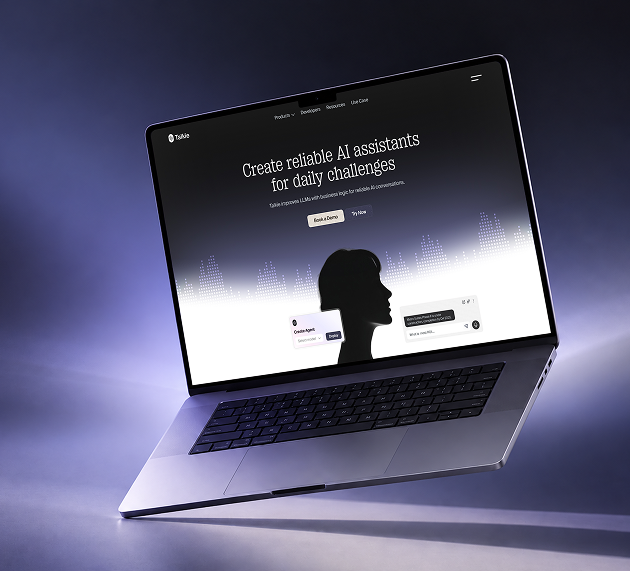
AI assistant marketing site
AI and automation build · 4-week engagement period · Demo-led launch plan
[ The challenge ]
Talkie sold a technical product that buyers struggled to picture, so the team needed a site that showed voice and chat assistants at work and earned trust before any sales call.
Next.js
Typescript
Tailwind CSS
Node.js
PostGreSQL
[ What we built ]
Interactive voice and chat demos sit beside integration maps and live impact figures, all linked to a short form for free trials and demo bookings.
2.6×
Demo bookings
38%
Trial sign-up lift
1.4s
Page load time
SaaS website · Brand, UI/UX & development
[ projects ]
AI And Product Work We've Delivered


ASSIST ME
Mobile App
Productivity
One mobile app for email, files, tasks
We built the Assistant app for mobile, from the welcome screen to the home dashboard. It holds the AI copilot, a document scanner, and quick actions that bring email, files, and tasks together.
FLUXPILOT
Website
Enterprise AI
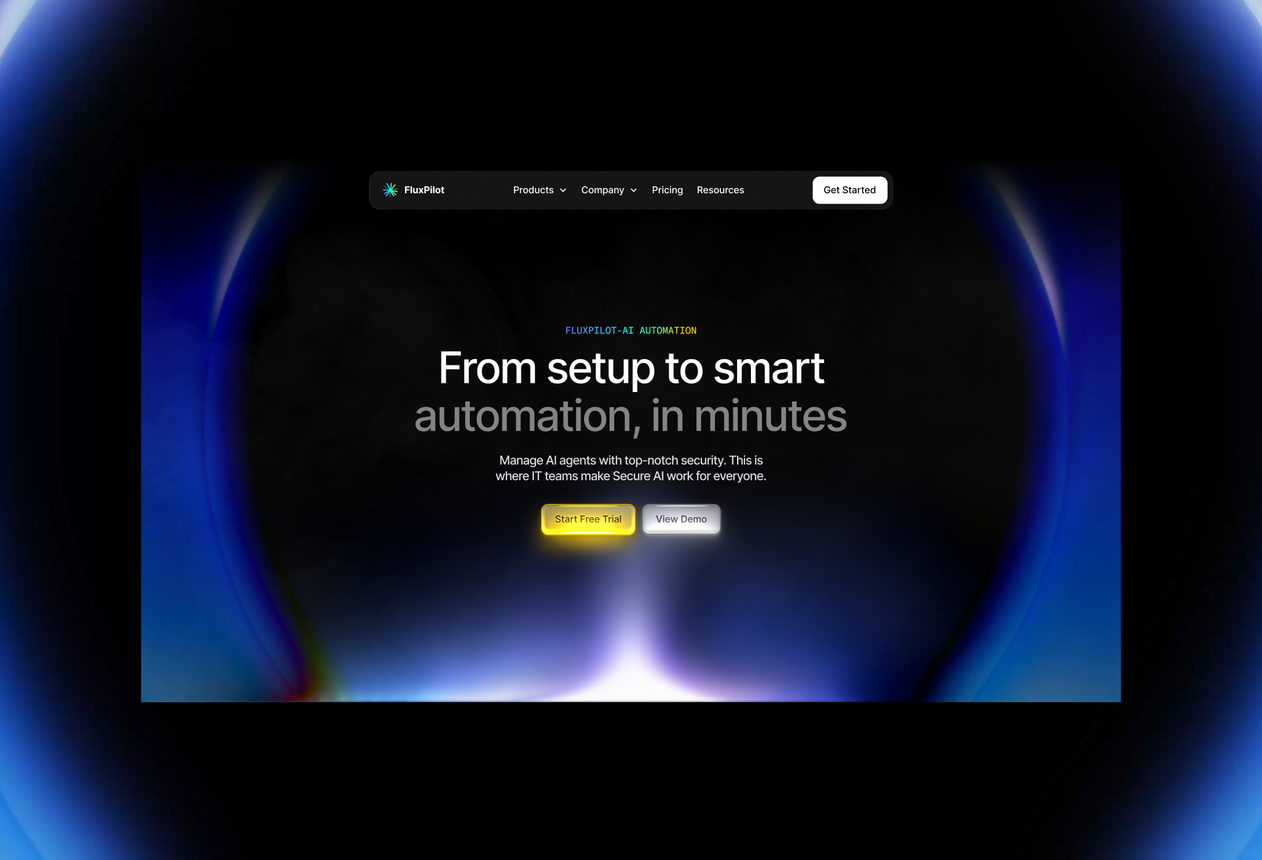
Agentic workflows that IT teams can trust
Enterprise AI has to be safe before it is smart. For FluxPilot, we automated workflow logic with security, governance, and human-approval steps, then connected it to the tools teams already use.

NEXORA
Website
AI Productivity
Writing, images, and automation in one AI suite
Building four AI tools under one roof is hard. We connected the models, custom personas, file uploads, and saved prompts so Nexora runs smoothly from the very first free trial.

CONNECT
Website
CRM
A customer platform that unites every channel
We developed the full web app for Connect, from account and profile management to the inbox that joins email, chat, and social messages. The marketing site and trial flow came with it.
[ transformation ]
The Rebuild, Not The Pitch
Projects often begin with damage control: the audit, the fix, and the aftermath.
A dedicated 4-person pod
Designer, engineers and QA, all on your product.
One team, two platforms
iOS + Android, one team, one codebase.
Crash-free at scale
99.2% stability across 1.8M live users.
What clients actually say
Feedback from founders we've shipped with.
Direct speak with the engineer
Saiful replies directly, no manager in the loop.
Built in Dhaka, shipped globally
Live in 9+ countries across four continents.
[ testimonial ]
What It's Like Working With Us

Sofia Gouveia @ Esdiac
Design Director
We relied on them to build our online store with AI-enhanced features that improve customer experience.
Working with Dev Monks on our ESDIAC app and group websites was an excellent experience. They were patient, attentive to feedback, and delivered clean, consistent, high-quality work. We're proud of the results and happy to continue our long-term partnership with them.


Anika @ Coin Pulse
Founder
Their team truly understood our vision and brought it to life through a stunning digital identity.
Dev Monks is a professional, reliable partner for end-to-end product builds. From clean, modern designs to seamless development, they exceeded my expectations. I couldn't be happier with the collaboration!

Austin @ Clarity LLC
CEO
Working with Dev Monks completely changed how we approached building our app website scratch.
I've worked with Design Monks on three websites, and they've been nothing but exceptional. Their design is top-notch, development is reliable, and communication is always smooth. They quickly act on feedback and deliver exactly what I need. For me, they're a 10/10 partner for all things design and development.

Ted Nash @ Yenex
Founder & CEO
I never expected building a complex platform to feel this easy and smooth.
I've had the pleasure of collaborating with Dev Monks for a while now on my new project. They're lightning-quick in addressing any questions or feedback I have, and they consistently go the extra mile to make sure I'm thrilled with the final outcome. I wholeheartedly endorse them


[ faq ]
Questions You'd Ask Before Signing Off

Do we need to rebuild our app to add AI?

Usually not. Most AI features can be added through new APIs and services around your existing code. We only recommend rebuilding parts that block the features you want.
How is this different from Rescue & Modernization?
Rescue & Modernization fixes and updates apps that are slow, buggy or outdated. AI Application Modernization focuses on adding AI features, and updates only what those features need.
Which AI features make sense for our app?
That depends on your users and data. If you're not sure yet, start with AI Consulting and we'll rank the options by value and effort.
Will this disrupt our users?
We release new features in stages, behind feature flags where possible, and keep the existing flow working until the new one is tested.
Can you work with our in-house developers?
Yes. We can lead the work, or pair with your team on the AI parts and leave them with the code, docs and tests to carry on.


[ start project ]
Want AI In Your App Without Starting Over?
Tell us what your app does today and what your users keep asking for. We'll tell you which AI features fit and what has to change to support them.
Typical range
$15,000 – $80,000
~/devmonks/stack.ts

Dual-store launch included

Fixed, transparent scope
Your ideas deserve more than prototypes. Partner with Dev Monks and bring scalable, reliable, and AI-enhanced products to life today.


